
Apr 1, 2026 | SEO Tips
If you’ve ever checked your Google Maps ranking from your office and thought, “Great, I’m #1,” there’s an important question I would ask next:
#1 from where?
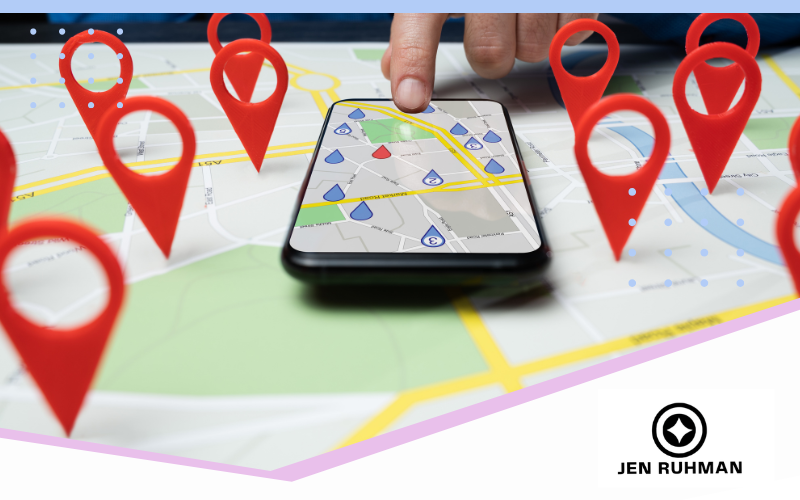
Local search results can change depending on where the person searching is located.
A business may appear prominently in Google Maps when someone searches nearby but become much less visible when that same search is performed several miles away.
That’s not necessarily an SEO problem.
Proximity is part of how local search works.
For San Diego businesses, understanding proximity is especially important because customers can be spread across a large geographic area—from Santee and La Mesa to North Park, La Jolla, Chula Vista, Encinitas and beyond.
Let’s look at what proximity actually means, why it affects Google Maps rankings and what you can—and can’t—do about it.
Quick Answer: What Does Proximity Mean in Local SEO?
Proximity refers to the distance between a business and the location associated with a local search.
Google explains that its local results are primarily based on three factors:
Relevance — how well a local business matches what someone is searching for.
Distance — how far a potential result is from the location used in the search.
Prominence — how well known the business is.
Google considers those factors together.
That means being closest doesn’t automatically guarantee the #1 local result.
But it also means you shouldn’t assume that better SEO will allow you to rank everywhere regardless of where your business is physically located.
You can improve many parts of Local SEO. You cannot eliminate geography.
Why Google Maps Rankings Change Based on Location
Imagine two people searching:
plumber near me
One person is in La Jolla.
The other is in Chula Vista.
It wouldn’t make much sense for Google to automatically show both people the exact same local businesses in the exact same order.
Their locations are different.
That’s one reason Local SEO rankings can vary significantly across a city or county.
The same thing can happen with a search such as:
dentist
personal injury lawyer
coffee shop
gym
SEO company
Even when the searcher doesn’t type a city or “near me,” Google may still interpret the query as having local intent.
This is also why Local SEO rankings shouldn’t always be evaluated as one static position.
Proximity Matters Most to Local Results
It’s important to distinguish Google’s local results from its traditional organic website results.
Proximity is particularly relevant to the local results associated with businesses and Google Maps.
Traditional organic rankings don’t necessarily mirror those Maps positions.
That’s why you can sometimes see a business performing extremely well in Maps while its website is much lower in the organic results—or vice versa.
I’ve written a separate guide explaining why a business can rank in Google Maps but not organic search.
The distinction matters because fixing weak organic visibility isn’t necessarily the same as improving local Maps visibility.
Why Proximity Is So Important in San Diego
San Diego isn’t a tiny geographic market.
Someone in North County may be a substantial distance from a business in East County.
A search performed in:
La Jolla
North Park
Pacific Beach
Santee
Chula Vista
Carlsbad
Encinitas
or Downtown San Diego
can occur from very different points across the region.
That’s why I don’t like telling a San Diego business owner:
“You’re #3 in Google Maps.”
That’s incomplete information.
I’d rather know:
Where was the search performed?
Which keyword was searched?
Was a location included in the query?
How does visibility change across the actual service area?
That tells us much more.
Can You Overcome Proximity With SEO?
This is where I want business owners to be careful.
There are many parts of Local SEO you can improve.
You can improve the accuracy and usefulness of your Google Business Profile.
You can choose appropriate business categories.
You can improve your website.
You can earn legitimate customer reviews.
You can build a stronger reputation.
You can earn relevant links and mentions.
You can make it much clearer what your business does and where it operates.
But none of those things allows you to simply switch off Google’s distance consideration.
A highly relevant and prominent business doesn’t necessarily have to be the closest result to appear.
But I would never promise a client:
“We’ll just optimize your website enough to overcome proximity everywhere in San Diego.”
That’s not how I approach Local SEO.
Does Google Business Profile Affect Proximity?
Your Google Business Profile contains important information about your business, including its location or service-area configuration.
For a storefront business, your legitimate physical location is obviously important.
For an eligible service-area business, Google also allows the profile to represent businesses that travel to customers.
What I would not recommend is manipulating an address because you want to appear closer to customers.
Your Google Business Profile should represent the real business and follow Google’s eligibility and representation guidelines.
A fake office, virtual office that doesn’t qualify, misleading location or other workaround isn’t a Local SEO strategy I’d build a business around.
Do Google Business Profile Service Areas Improve Rankings in Those Areas?
This is one of the biggest misconceptions I see.
A service-area business can specify the areas it serves in its Google Business Profile.
That’s useful business information.
But don’t think of those service areas as a ranking-target list where adding:
San Diego
La Jolla
Chula Vista
Carlsbad
Encinitas
automatically makes the business rank in all of those places.
It doesn’t work like adding SEO keywords to a list.
The service area should accurately describe where the business operates.
This distinction is especially important for plumbers, electricians, roofers, mobile services, contractors, landscapers and other businesses that travel to customers.
My separate article about service-area business Local SEO goes deeper into that strategy.
Does Hiding Your Address Help You Rank Farther Away?
No.
Businesses sometimes assume that hiding their address from the public will somehow remove the geographic component of local search.
Hiding an address is primarily about how an eligible service-area business should represent itself when customers aren’t served at that location.
It isn’t a trick for becoming geographically neutral.
You should configure the profile based on how the business actually operates, not based on which setting you think will create better rankings.
Can I Create Location Pages to Overcome Proximity?
Location and service-area pages can be useful when they genuinely help customers.
For example, if a business provides a particular service throughout San Diego County, its website may need to clearly explain:
where the service is available
what services are offered in those areas
whether pricing or availability differs
examples of work performed there
local considerations
and how customers in that area can get service.
What I don’t recommend is creating dozens of nearly identical pages where the only meaningful difference is the city name.
And I wouldn’t tell a business that creating a /la-jolla/ page suddenly makes its physical business location closer to someone in La Jolla.
Website relevance and physical proximity aren’t the same thing.
A useful location page may help a website compete for relevant organic searches.
That doesn’t mean it changes where the business physically exists for Google’s local results.
Can Blog Posts Improve Proximity?
No blog post changes the physical distance between your business and a searcher.
That sounds obvious, but it’s worth saying because Local SEO advice sometimes makes content sound like a workaround for geography.
Useful content can support your website.
It can answer customer questions.
It can demonstrate experience.
It can attract links.
It can help relevant pages become more useful.
But I wouldn’t publish ten articles about La Jolla because I’m trying to make Google think my Santee business is physically located in La Jolla.
That’s not the purpose of content.
It’s one reason I’ve become much more selective about what I publish.
More content isn’t automatically better SEO.
What Can You Actually Optimize?
Although you can’t control where every searcher is located, there’s still plenty you can control.
Make Sure Your Google Business Profile Is Accurate
Your profile should accurately represent:
Your business name
Primary and additional categories
Address or service-area setup
Phone number
Website
Hours
Services
Photos
and other applicable information.
Don’t add information simply because you think it will help rankings.
Make the profile accurately represent the real business.
Strengthen Your Website
Your website should clearly communicate:
What you do
Who you serve
Where you operate
Why someone should choose you
What individual services you provide
and how customers can contact you.
If the website barely explains your services or geographic market, that’s something worth improving regardless of proximity.
Earn Real Customer Reviews
Reviews can help potential customers decide whether to contact your business, and Google says review count and review scores can factor into local search ranking.
Build a consistent process for asking legitimate customers for feedback.
Don’t script reviews with keywords or ask people to mention specific cities because you’re trying to manipulate Local SEO.
Build a Real Local Presence
Businesses naturally accumulate evidence of their existence outside their own websites.
Depending on the company, that might include:
Local press
Professional associations
Business organizations
Community involvement
Industry websites
Partnerships
Events
Sponsorships
and relevant directories.
I prefer building genuine business visibility over manufacturing hundreds of low-quality citations.
Improve the Pages That Actually Matter
If you want organic visibility for a service in San Diego, make sure you have a useful page that actually deserves to satisfy that search.
Don’t assume another generic blog post will fix the problem.
Sometimes the best SEO move is improving an existing service page rather than publishing something new.
How Should You Track Google Maps Rankings?
Because local results can change by location, I wouldn’t rely entirely on manually searching your own keywords from your office.
That only tells you what you saw from that particular search context.
For businesses where Maps visibility matters, I like looking at performance across the actual geographic market.
A local rank grid can be useful for visualizing how visibility changes across an area.
For example, you might discover that a business performs very well close to its location, reasonably well several miles away and poorly on the opposite side of the city.
That’s much more useful than saying:
“We’re position #4.”
You can then compare that visibility with where the business actually gets customers.
Don’t Obsess Over Ranking Everywhere
This is another important point.
You don’t necessarily need to dominate Maps across an entire county.
Suppose most of your profitable customers come from a relatively concentrated service area.
Being highly visible where those customers actually search may be much more valuable than chasing visibility 30 miles away.
SEO should support the business.
The goal isn’t to paint an entire map green in a ranking tool.
The goal is to help the right customers find and choose you.
What If You’re Located Outside the City You Want to Rank In?
This is where expectations matter.
If your business is physically located outside the city you’re targeting, you may still have organic SEO opportunities.
You may also have some local visibility depending on the query, competitive landscape and where the search takes place.
But I wouldn’t promise that SEO can make Google treat your business as though it has a physical location somewhere it doesn’t.
Instead, I would evaluate:
Your actual service area
Where customers come from
Which searches have local intent
Which searches produce organic opportunities
Your competitors
Your existing Maps visibility
Your organic rankings
and whether targeting that market makes business sense.
Sometimes the best opportunity isn’t forcing a Maps ranking.
It may be winning the organic result instead.
Proximity vs. Relevance vs. Prominence
Google describes local ranking using three primary concepts: relevance, distance and prominence.
A simple way to think about them is:
Relevance: Does this business match what the person is looking for?
Distance: How far is the potential result from the location used in the search?
Prominence: How well known is the business?
They’re not individual scores you can see inside Google Business Profile.
And there isn’t a universal formula such as:
40% proximity + 30% reviews + 30% website optimization.
Local search is more complicated than that.
That’s why I focus on improving what we can legitimately improve rather than pretending we know Google’s exact weighting.
How Proximity Fits Into a Complete Local SEO Strategy
Proximity is important, but Local SEO is bigger than proximity.
A complete strategy may involve:
Your Google Business Profile
Your website
Service pages
Location information
Reviews
Internal linking
Relevant external mentions
Technical SEO
Google Maps visibility
Organic visibility
and the overall experience someone has when deciding whether to contact your business.
My Local SEO guide for San Diego businesses explains how these pieces fit together.
The key is understanding which problems can actually be fixed.
If a page isn’t indexed, fix it.
If your GBP category is wrong, fix it.
If your service page doesn’t answer the search intent, improve it.
If your business is 25 miles away from the searcher, recognize that distance is a real part of the equation.
That’s a much healthier Local SEO strategy than trying to trick Google into believing your business is somewhere it isn’t.
Frequently Asked Questions About Proximity and Local SEO
What does proximity mean in Local SEO?
Proximity generally refers to how far a potential local result is from the location associated with a search. Google calls this factor “distance” in its explanation of local ranking.
Does the closest business always rank first in Google Maps?
No. Google says local results are primarily based on relevance, distance and prominence. Distance matters, but it isn’t the only consideration.
Why do my Google Maps rankings change across San Diego?
People searching from different locations may receive different local results. A business may therefore be highly visible near its location and less visible farther away.
Can SEO overcome proximity?
You can improve relevance, your website, your Google Business Profile, reputation and other aspects of your online presence, but you cannot eliminate physical distance from local search. I wouldn’t promise that SEO can make a business rank everywhere regardless of its actual location.
Do Google Business Profile service areas improve rankings?
Service areas tell customers where an eligible service-area business operates. They shouldn’t be treated as a list of locations that automatically causes the business to rank in those areas.
Does hiding my address eliminate proximity?
No. Hiding an address when appropriate doesn’t make a business geographically neutral. Configure the profile according to how the business actually operates and Google’s guidelines.
Can location pages help me rank in another city?
Useful location or service-area pages can support organic search visibility when they provide meaningful information for people in that market. They don’t change the physical location of your business for Google Maps.
How should I measure local rankings?
Look at visibility across the geographic area that actually matters to your business rather than relying on one search performed from one location. Local rank-grid data can be useful for seeing how visibility changes across a market.
Need Help Understanding Your Local Visibility?
If your business ranks well in one part of San Diego but seems invisible several miles away, don’t automatically assume something is wrong with your SEO.
First, understand what you’re looking at.
I work directly with businesses to evaluate Google Maps visibility, organic rankings, Google Business Profile performance and website SEO together.
If you’re trying to understand why your business appears where it does—or where your best opportunities are—you can learn more about working with my San Diego SEO company.
Get found. Get trusted. Get chosen.
— Jen Ruhman
San Diego SEO Expert
Mar 25, 2026 | SEO Tips
You search for one of your important keywords and see your business sitting near the top of Google Maps.
Great.
Then you scroll down to the regular organic search results…and your website is nowhere to be found.
I see this with local businesses all the time.
It can also happen the other way around: your website ranks well organically, but your business struggles to appear prominently in Google Maps.
That doesn’t necessarily mean something is broken.
Google Maps and traditional organic search are different search surfaces, and they don’t always produce the same rankings.
Understanding why can tell you a lot about what part of your SEO strategy needs attention.
Quick Answer: Why Do I Rank in Google Maps but Not Organic Search?
If you rank in Google Maps but not organic search, your business may have enough local relevance to appear prominently in Maps while your website isn’t yet competitive enough for the traditional organic results.
Google says its local results are primarily based on:
Relevance
Distance
Prominence
Traditional organic results involve Google’s broader search ranking systems and the relevance and usefulness of individual web pages to a search.
That means your Google Business Profile can perform well for a local search while your website still struggles to earn a strong organic position.
The opposite can happen too.
Google Maps Rankings and Organic Rankings Aren’t the Same Thing
This is the most important distinction.
When someone searches for something like:
SEO company San Diego
Google may show several types of results.
Depending on the query, that can include local results associated with Google Business Profiles as well as traditional organic website listings.
Your business can potentially appear in both.
But ranking in one doesn’t guarantee you’ll rank in the other.
That’s why I don’t look at a local business’s SEO performance using only its Google Business Profile or only its website.
I want to understand what’s happening across the entire search result.
If you want the bigger picture, I explain this in more detail in my complete guide to Local SEO for San Diego businesses.
Why You May Rank in Google Maps but Not Organic Search
There isn’t one universal reason.
Usually, I start investigating several possibilities.
1. Your Location May Be Helping Your Maps Visibility
Distance is one of the factors Google says it considers when determining local results.
That matters because Maps visibility can change depending on where the person searching is located.
Imagine you own a business in San Diego.
Someone searching a few blocks away could potentially see a different set or order of local businesses than someone performing the same search from another part of the county.
That’s one reason checking a Google Maps ranking from your own phone isn’t enough to tell you how visible your business is throughout your entire market.
Your organic website ranking may also look very different from your local Maps visibility.
2. Your Google Business Profile May Be Stronger Than Your Website
Sometimes I find businesses with surprisingly good local visibility even though their websites need substantial work.
Their Google Business Profile may have:
Accurate business information
Appropriate categories
A strong review history
Useful photos
Complete service information
A long-established business presence
Good relevance to the search
Meanwhile, the website may have weak or incomplete service pages, confusing architecture, thin information, technical problems or pages targeting the wrong searches.
In that situation, I don’t assume the Google Business Profile needs to be completely rebuilt.
I investigate the website.
3. You May Not Have the Right Organic Page for the Search
This is one of the first things I’d check.
Suppose you want to rank organically for:
personal injury lawyer San Diego
But the only page discussing personal injury law is your homepage.
Meanwhile, competing websites have highly useful pages specifically about personal injury services in San Diego.
The problem may not be your overall “authority.”
It could be much simpler:
You don’t have the right page satisfying that particular search intent.
This is why I spend so much time mapping important searches to specific pages.
One meaningful search intent should generally have a clear page that addresses it.
My guide to search intent explains why this matters.
4. Your Important Service Pages May Need Improvement
Having a page isn’t automatically enough.
I also look at whether the page actually helps the person who searched.
For a local service page, I might ask:
Does the page clearly explain the service?
Does it answer the questions prospective customers actually have?
Does it demonstrate real experience?
Does it make the geographic service area clear when relevant?
Does it contain original information about the business?
Is it substantially different from competing pages?
Does it make the next step obvious?
Sometimes the solution isn’t publishing another 2,000-word blog post.
The better opportunity may be improving the commercial page that’s supposed to rank.
5. Your Website May Have Search Intent or Cannibalization Problems
This is particularly important on websites that have been publishing content for years.
You might have:
A homepage targeting a keyword
A service page targeting the same keyword
Three blog posts targeting nearly the same keyword
A location page targeting a slight variation
Another article written several years ago targeting essentially the same intent
Instead of strengthening your website, those pages can create a confusing content architecture.
I’ve been doing this exact type of cleanup on my own website.
Rather than continuing to publish content just because I can, I’ve been consolidating overlapping articles, redirecting weaker pages and giving the pages that remain much clearer jobs.
Sometimes less content creates a better website structure.
That’s also why I no longer believe businesses should publish blogs simply to hit a monthly quota.
6. Your Internal Linking May Be Weak
Internal links help people and search engines move between related pages on your website.
They’re especially useful when supporting content provides additional context for an important service page.
For example, if I have several useful articles about Local SEO, it makes sense for those articles to help readers discover my main Local SEO resources and relevant services.
What I don’t want is hundreds of forced exact-match internal links inserted solely because I’m trying to manipulate a keyword.
Internal linking should make the site easier to understand.
I explain my approach in my guide to internal links for SEO.
7. Your Website May Have Technical or Indexing Problems
Sometimes the issue isn’t content at all.
A page may have trouble appearing organically because of technical or indexing issues.
Depending on the website, I might check:
Whether the page is indexed
Canonical tags
Accidental noindex directives
Internal links
Redirects
Duplicate or near-duplicate pages
Crawlability
Mobile usability
Page performance
Structured data errors
Sitemap inclusion
Technical SEO isn’t about chasing a perfect score from every audit tool.
I care about technical problems when they interfere with crawling, indexing, usability or the site’s ability to compete effectively.
8. Your Competitors May Simply Have Better Organic Pages
This gets overlooked.
You can optimize a page and still not rank #1.
SEO happens in a competitive environment.
If the websites above you have better pages, stronger reputations, more useful information, more relevant third-party references or simply satisfy the query better, improving your own page may take more than changing the title tag.
That’s why I compare important pages against the actual search results rather than relying exclusively on SEO software scores.
The question isn’t:
“Did I optimize this page?”
It’s:
“Does this page deserve to compete with what’s currently ranking?”
9. Your Website May Need Stronger External Authority
A business doesn’t exist only on its own website.
Search engines can encounter information about companies across the web.
That can include:
Industry organizations
Local publications
Professional associations
Business directories
News coverage
Partnerships
Events
Research
Interviews
Relevant websites
and legitimate backlinks.
This doesn’t mean you need hundreds of backlinks every month.
I’d rather earn a smaller number of relevant, legitimate mentions than manufacture large quantities of low-quality links.
That’s the approach I use with digital PR and link building for SEO.
What If You Rank Organically but Not in Google Maps?
The reverse situation is possible too.
Your website may rank well organically while your Google Business Profile isn’t particularly visible in Maps.
In that situation, I’d investigate the local side separately.
Questions I’d ask include:
Is the business eligible for a Google Business Profile?
Is the profile verified?
Is the primary category appropriate?
Is the business information accurate?
Does the profile accurately represent the services offered?
Where is the business located relative to the searchers you’re trying to reach?
How strong is the business’s local prominence?
Are there profile issues or guideline violations?
Are competitors physically closer to the search area?
Again, a strong organic ranking doesn’t guarantee a strong Maps ranking.
Proximity Makes Google Maps Especially Interesting
Proximity is one of the biggest reasons business owners become confused about local rankings.
You might search from your office and see yourself near the top.
A customer several miles away may see something different.
That’s why I don’t like statements such as:
“We’re #1 in Google Maps.”
My next question is:
Where?
Maps visibility can vary geographically.
This becomes particularly important in a large and competitive market such as San Diego County.
A business can have excellent visibility around its physical location while becoming less visible farther away.
That’s not necessarily an SEO failure.
It’s part of how local search works.
Does Your Website Affect Your Google Maps Rankings?
Your website and Google Business Profile shouldn’t be thought of as completely isolated assets.
Google’s own local-ranking guidance explains that prominence can include information Google has about a business from across the web, including links and articles.
That doesn’t mean every improvement to your website will automatically move your Maps ranking.
And it doesn’t mean organic rankings and Maps rankings are interchangeable.
But I want the entire online presence to communicate consistent, useful information about the business.
Your website should clearly explain what you do.
Your Google Business Profile should accurately represent the real business.
Your external presence should reinforce who you are.
That’s a much better strategy than trying to find a single “Maps ranking hack.”
Do Reviews Affect Google Maps Rankings?
Reviews are relevant to local search, but I don’t recommend manipulating them.
Google states that more reviews and positive ratings can help a business’s local ranking.
More importantly, reviews can help prospective customers evaluate a company before contacting it.
I recommend building a legitimate process for asking real customers for feedback.
I don’t recommend scripting reviews with keywords, manufacturing review velocity or asking customers to write particular phrases because you’re trying to influence rankings.
Reviews should reflect genuine customer experiences.
Should You Focus on Maps or Organic SEO First?
It depends on the business.
If Maps is already performing well but organic visibility is weak, I’d investigate the website before spending all my time making minor Google Business Profile changes.
If organic visibility is strong but Maps visibility is weak, I’d investigate the business’s local search presence.
If both are weak, I’d look at the entire SEO foundation.
This is also why SEO vs. Local SEO isn’t really an either/or decision for many local businesses.
I explain the broader distinction in my guide to SEO vs. Local SEO.
What I Would Check First If You Rank in Maps but Not Organic Search
If I were auditing the site, I’d start with a few questions:
1. Which exact queries are producing the Maps visibility?
Not “we rank well.”
Which searches?
2. Which URL should rank organically for each important query?
If there isn’t an obvious answer, that’s a problem.
3. Is that URL actually indexed?
Always check the basics.
4. Does the page satisfy the search intent?
Look at what Google is already ranking.
5. Are other pages on the site competing for the same intent?
Cannibalization and duplication deserve attention.
6. Does the page have useful internal links?
Important pages shouldn’t be isolated.
7. Does the website clearly demonstrate what the business does and where it operates?
Especially important for local companies.
8. How does the page compare with the pages already ranking?
This is where the real competitive analysis begins.
Maps Visibility and Organic Visibility Should Complement Each Other
I don’t want local businesses to think of Maps and organic SEO as two unrelated marketing channels.
They’re different search surfaces, but ultimately they’re helping potential customers discover the same business.
A strong local search presence might allow someone to discover you through Google Maps.
A strong organic presence might allow someone researching a service, comparing providers or asking a detailed question to discover your website.
And sometimes the same customer will encounter your business in several places before making contact.
That’s why I prefer building a complete search presence rather than obsessing over one ranking.
Frequently Asked Questions
Why do I rank in Google Maps but not organic search?
Google Maps/local results and traditional organic search don’t use identical ranking systems. Your business may have strong local relevance while the website page that should rank organically isn’t competitive enough for that particular search.
Can I rank in Google Maps without a strong website?
It is possible for a business to have much stronger Maps visibility than organic website visibility. However, I still recommend having a useful website that accurately explains the business, services and locations.
Why does my Google Maps ranking change depending on where I search?
Distance is one of the factors Google uses for local results. People searching from different locations can therefore see different local results.
Does proximity affect organic rankings?
Proximity is particularly important to Google’s local results. Traditional organic rankings use Google’s broader search ranking systems, so you shouldn’t expect organic positions to mirror your Maps positions.
Do reviews help Google Maps rankings?
Google says review count and review scores can factor into local search ranking. Reviews also help prospective customers evaluate your business, which is another reason to develop a legitimate process for earning customer feedback.
Should I focus on Google Maps or organic SEO?
That depends on where your current weakness and best opportunities are. For many local businesses, both deserve attention because they provide different ways for customers to discover the company.
How do I improve organic visibility if I’m already ranking in Maps?
Start by identifying the exact queries you want to rank for and the pages that should satisfy those searches. Then evaluate indexing, search intent, page quality, internal linking, technical issues, competing pages and the strength of the websites currently ranking above you.
Ranking in Maps but Not Organic Search? I’ll Help You Find the Gap.
If your business is visible in Google Maps but your website isn’t showing up where you expect, don’t assume you simply need more blogs, more keywords or more backlinks.
First, figure out why the gap exists.
That’s what I look for when I analyze a website.
I work directly with businesses as a San Diego SEO expert to identify what’s actually limiting their visibility and prioritize the changes most likely to matter.
You can also start with my complete Local SEO guide for San Diego businesses to understand how the different parts of local search fit together.
Get found. Get trusted. Get chosen.
— Jen Ruhman
Mar 14, 2026 | SEO Tips
Not every SEO relationship works the same way.
Some businesses hire an SEO provider primarily to complete a defined list of tasks. Others want someone who becomes more involved in strategy, priorities, performance, and ongoing decisions.
I think of these as two different working models:
An SEO vendor primarily delivers services. An SEO partner helps determine which SEO work should be done, why it matters, and what should happen next.
Neither label automatically tells you whether someone is good or bad at SEO.
The important question is which type of relationship your business actually needs.
For businesses operating in competitive markets like San Diego, I generally prefer a partnership approach because SEO rarely follows exactly the same plan month after month.
Rankings change. Competitors change. Search behavior changes. Google changes. Your website changes.
A good SEO strategy needs room to respond.
SEO Vendor vs. SEO Partner: The Quick Difference
An SEO vendor is generally hired to perform defined SEO services or deliverables.
That might include:
- Writing articles
- Building links
- Completing technical SEO tasks
- Optimizing pages
- Producing reports
- Managing a Google Business Profile
An SEO partner may perform many of those same tasks.
The difference is that the relationship is more strategic.
Instead of asking only:
“What are we supposed to deliver this month?”
A partner is also asking:
“What does this website need most right now?”
That’s an important distinction.
What Is an SEO Vendor?
I use the term SEO vendor to describe a more transactional relationship.
The business purchases a defined service, and the SEO provider delivers it.
For example:
Four blog posts per month.
Ten backlinks per month.
A monthly SEO report.
A set number of optimization hours.
There’s nothing inherently wrong with that model.
Defined deliverables can make budgeting and expectations easier.
The problem comes when the deliverables become more important than the strategy.
If a website doesn’t need four new articles this month, publishing four articles simply because they’re included in a package isn’t necessarily the best use of the SEO budget.
That’s where I think the distinction between a vendor and a partner becomes important.
What Is an SEO Partner?
An SEO partner takes a more strategic role.
The work still needs to get done, but the strategy determines the work rather than the package determining the strategy.
That means looking at things such as:
- Business goals
- Current rankings
- Search intent
- Competitors
- Existing content
- Technical problems
- Internal linking
- Backlinks and authority
- Google Business Profile visibility
- Conversions
- Search Console data
- Changes in search behavior
Then priorities can change based on what the data shows.
One month, the biggest opportunity may be creating a new service page.
The next month, it may be consolidating competing articles.
Another month, the best move may be improving internal links, earning relevant backlinks, fixing technical problems, or strengthening pages that are already close to page one.
That’s closer to how I approach SEO.
SEO Vendor vs. SEO Partner: Strategy
This is probably the biggest difference.
A vendor relationship often begins with:
“Here are the services included in your package.”
A partnership begins with:
“What is preventing this business from gaining more search visibility?”
The first question is about deliverables.
The second is about priorities.
I don’t think SEO should be a collection of disconnected tasks.
Technical SEO, content, internal links, backlinks, Local SEO, Google Business Profile optimization, and conversion opportunities should support a larger strategy.
SEO Vendor vs. SEO Partner: Communication
Communication can also look different.
A traditional vendor relationship may primarily involve a monthly report showing:
- Rankings
- Traffic
- Completed tasks
- Backlinks
- Pages published
Those metrics can be useful.
But a report alone doesn’t tell a business owner what the numbers mean.
I think an SEO provider should also be able to explain:
What changed?
Why does it matter?
What did we learn?
What should we do next?
That’s where reporting becomes strategy instead of simply data delivery.
SEO Vendor vs. SEO Partner: Flexibility
SEO doesn’t always cooperate with a predetermined checklist.
Imagine we’ve planned to publish three new articles this month.
Then I discover that the website already has six articles competing for nearly the same search intent.
Should I publish three more because they’re included in the package?
Probably not.
The better strategy may be to consolidate existing content, create redirects, improve the surviving page, and strengthen the internal linking structure.
In other words:
SEO isn’t always about adding more. Sometimes the best SEO work is cleaning up what’s already there.
That’s one of the reasons I prefer an adaptable SEO strategy.
SEO Vendor vs. SEO Partner: Accountability
I don’t think an SEO company should promise outcomes it can’t control.
No SEO provider controls Google’s rankings.
But an SEO provider can take responsibility for evaluating the strategy.
If something isn’t moving the way I expected, I want to understand why.
Is the keyword too competitive?
Is the wrong page ranking?
Is search intent mismatched?
Is the page lacking authority?
Are multiple URLs competing against each other?
Has the search result changed?
Is the page receiving impressions but getting a poor click-through rate?
Does the website have a technical problem?
A strategic SEO relationship involves investigating those questions rather than simply pointing to a list of completed tasks.
Why This Matters for San Diego Businesses
Local competition can make this especially important.
A San Diego business may be competing not only for traditional organic rankings but also for visibility in Google Maps, local search results, AI-powered search experiences, and searches involving individual communities throughout San Diego County.
And the strategy can vary considerably depending on the business.
A lawyer trying to compete throughout San Diego County needs a different strategy from a Santee auto repair shop.
A medical practice attracting patients from Southern California may need a different approach from a neighborhood fitness studio.
That’s why I don’t believe adding “San Diego” to a few pages qualifies as a Local SEO strategy.
Local visibility can involve your website structure, Google Business Profile, reviews, local relevance, service pages, backlinks, citations, reputation, and proximity.
If Local SEO is important to your business, my Local SEO for San Diego Businesses guide explains how those pieces work together.
Packages Aren’t Necessarily the Problem
This distinction is important.
Having an SEO package does not automatically make someone a vendor.
Packages can be useful for establishing budgets, scope, and expectations.
I offer defined levels of SEO service myself.
What matters is whether the strategy is trapped inside the package.
If the data shows that a client’s website needs something different from what I originally expected, I want enough flexibility to shift priorities.
The package defines the resources available.
The strategy should determine how those resources are best used.
That’s the model I prefer.
Signs You May Have a Transactional SEO Relationship
A vendor-style relationship may be perfectly appropriate if you simply need a specific service completed.
But if you’re expecting strategic SEO guidance, I would pay attention if:
- Every client receives essentially the same plan
- Deliverables never change regardless of performance
- Reports are sent without explanation
- Nobody can explain why specific keywords were chosen
- Content is published primarily to meet a quota
- Backlinks are discussed only in terms of quantity
- Nobody asks about leads or business goals
- The strategy rarely changes even when results stall
The issue isn’t the word “vendor.”
It’s whether the relationship provides the level of strategic involvement you expected.
Signs You’re Working With an SEO Partner
A more strategic relationship often includes:
- Recommendations based on current data
- Clear explanations behind decisions
- Willingness to change priorities
- Attention to business goals
- Discussion of leads and conversions, not only traffic
- Coordination between content, technical SEO, Local SEO, and authority building
- Identification of problems before the client has to ask
- Long-term thinking
I also think a good SEO partner should occasionally be willing to say:
“I don’t think we should do that.”
That’s part of providing strategic guidance.
If a client asks me to create ten new pages and I believe those pages will create cannibalization or add no meaningful value, my job isn’t simply to take the money and create them.
My job is to explain why I recommend a different approach.
What About SEO and AI Search?
The growth of AI-powered search makes strategic thinking even more important.
Businesses are now thinking about visibility across traditional Google results, Google Maps, AI-powered search experiences, and assistants people use to research companies and services.
I don’t think that means traditional SEO fundamentals suddenly stopped mattering.
It means businesses need to think more broadly about how their brand and information are represented online.
Clear website structure, useful content, crawlability, strong internal relationships between pages, reputation, mentions, backlinks, accurate business information, and real expertise can all contribute to a stronger digital presence.
There isn’t a magic trick that guarantees an AI system will recommend a business.
That’s why I prefer treating AI search as part of a broader search visibility strategy rather than selling it as an isolated shortcut.
You can read more in my guide to how AI search is changing Local SEO.
How I Approach SEO Partnerships
I prefer being directly involved in the strategy.
That means I don’t want to simply send a report every month showing that tasks were completed.
I want to know:
Are the right pages gaining visibility?
Are we targeting searches that could realistically bring customers?
Is Google understanding which pages should rank?
Are competitors doing something we need to respond to?
Are impressions increasing?
Are people clicking?
Are visitors becoming leads?
Is there something on the website holding us back?
And sometimes the answer is surprising.
I’ve had situations where the best next move wasn’t another new page.
It was fixing something created years earlier.
That’s the value I see in an ongoing SEO partnership.
Do You Need an SEO Vendor or an SEO Partner?
It depends on what you’re looking for.
If you know exactly what needs to be done and simply need someone to execute a specific task, a vendor relationship may be completely appropriate.
If you’re looking for someone to help determine what should be done, prioritize opportunities, interpret performance, and adjust the strategy over time, you probably want more of a partnership.
Neither model should be judged solely by the label.
The important thing is knowing which relationship you’re actually buying.
If you’re currently comparing providers, my guide to comparing SEO companies in San Diego can help you evaluate them.
Final Thoughts: SEO Is More Than a List of Deliverables
SEO requires execution.
Pages need to be optimized. Technical problems need to be fixed. Content sometimes needs to be created. Links need to be earned. Data needs to be reviewed.
But completing tasks isn’t the same thing as having a strategy.
The real question is:
Why are we doing this particular SEO work, and what are we trying to accomplish?
That’s the difference I care about.
A vendor can complete the assignment.
A strong SEO partner helps determine which assignment matters most.
Looking for an SEO Partner in San Diego?
I’m Jen Ruhman, founder of Jen Ruhman SEO.
I work directly with businesses to develop and execute SEO strategies based on what their websites actually need—not simply a predetermined list of monthly tasks.
If you’re looking for a San Diego SEO expert who will be directly involved in your strategy, I’d be happy to take a look at your website.
Call or text: (619) 719-1315
Frequently Asked Questions
What is the difference between an SEO vendor and an SEO partner?
An SEO vendor generally focuses on providing defined services or deliverables. An SEO partner typically takes a more strategic role by helping determine priorities, interpreting results, and adjusting the SEO plan as the website and competitive environment change.
Is an SEO vendor bad?
No. A vendor relationship can work well when a business needs a clearly defined service or task. The problem occurs when a business expects strategic guidance but receives only predetermined deliverables.
Is an SEO partner more expensive?
Not necessarily. Pricing depends on scope, experience, competition, and the amount of work required. The more important question is what level of strategy and involvement you’re receiving for the investment.
Does an SEO partner guarantee rankings?
No reputable SEO provider should promise control over organic rankings. A strategic SEO partner can identify opportunities, perform SEO work, measure results, and adjust the strategy, but search engines ultimately determine their results.
How do I know whether I need an SEO partner?
If you need help deciding which SEO opportunities to prioritize, understanding performance, coordinating different areas of SEO, and adjusting strategy over time, a partnership model may be a better fit than purchasing isolated SEO tasks.
Can an SEO company offer packages and still be an SEO partner?
Absolutely. Packages can establish scope and budget while still allowing strategic flexibility. What matters is whether the SEO strategy determines how resources are used rather than blindly completing the same checklist every month.
Should I hire a local SEO partner in San Diego?
A local provider can be helpful when your business depends heavily on San Diego customers because they may have firsthand familiarity with the area’s neighborhoods, service areas, competition, and local search environment. However, location alone doesn’t determine whether an SEO provider is qualified.
Mar 4, 2026 | SEO Tips
If you’re trying to improve your Google rankings, it’s easy to end up with a very long list of things you’re supposedly required to do.
Publish more blogs.
Get more backlinks.
Add more keywords.
Post on your Google Business Profile.
Improve your website speed.
Add schema.
Build location pages.
Update old content.
I’ve worked in SEO for more than 20 years, and one of the biggest things I’ve learned is this:
Not every SEO task has the same value for every website.
Rankings usually don’t improve because of one trick or one change.
They improve when Google can more clearly understand what your business does, which searches your pages are relevant for, whether your content satisfies what people are looking for, and how your website fits into the larger search landscape.
For local businesses, Google also has to understand where your business is relevant.
That’s why SEO for a San Diego business requires much more than adding “San Diego” to a few pages.
So what actually moves rankings?
Let’s break it down.
Quick Answer: What Actually Affects Google Rankings?
There isn’t one universal Google ranking factor that determines where your website appears.
In practice, when I’m trying to improve a website’s visibility, I look at things like:
- Search intent
- Content relevance and usefulness
- The strength of the page targeting the search
- Website structure
- Internal linking
- Backlinks and external authority
- Technical accessibility and indexing
- Local relevance
- Google Business Profile for local search
- Reviews and reputation
- User experience
- Existing website authority
- Competition
- Opportunities to improve pages already gaining visibility
The importance of each one depends on the search, the website, and the competition.
That’s why I don’t approach SEO by asking:
“What ranking factor should we work on?”
I ask:
“What is preventing this page from competing right now?”
That question usually leads to much better SEO decisions.
1. Matching Search Intent
One of the first things I look at when a page isn’t ranking is search intent.
You can have an attractive website and well-written content and still struggle if your page doesn’t match what people actually want from that search.
For example, someone searching:
“what is local SEO?”
is probably trying to learn.
Someone searching:
“local SEO company San Diego”
may be looking for someone to hire.
Those searches have different intentions and may require completely different pages.
Before optimizing a page, I look at what Google is already showing for the query.
Are the results primarily:
Service pages?
Informational articles?
Product pages?
Directories?
Videos?
Google Maps results?
The existing search results can provide useful clues about what type of content Google believes satisfies that search.
If your page fundamentally doesn’t match that intent, adding the keyword another ten times probably isn’t going to solve the problem.
I explain this process in more detail in my guide to search intent and SEO.
2. Having the Right Page for the Search
Sometimes a website struggles because it simply doesn’t have a strong page dedicated to an important topic or service.
But I also see the opposite problem:
The website has too many pages targeting essentially the same thing.
One article targets one variation of a keyword.
Another article targets a slightly different version.
Then there’s an older blog post discussing almost the same topic.
Meanwhile, the service page is also trying to rank for it.
This can create an unnecessarily messy website.
Rather than creating a new page for every keyword variation, I prefer establishing clear ownership.
Which page should be the best answer for this search?
Which page should Google associate with this service?
Which supporting articles genuinely deserve their own URLs?
That’s one reason I use keyword mapping when planning and cleaning up websites.
My general rule is:
One primary search intent = one primary page.
That doesn’t mean a page can rank for only one keyword.
A strong page can rank for many closely related searches.
It means we don’t need five different URLs intentionally competing for essentially the same search intent.
3. Creating Content That Deserves to Rank
SEO content doesn’t become valuable because it reaches a certain word count.
And it doesn’t become optimized because a keyword appears a certain number of times.
When I evaluate an important page, I ask questions such as:
Does it actually answer what the searcher wants to know?
Is the answer easy to find?
Does the page provide enough context?
Does it demonstrate genuine knowledge or experience where appropriate?
Does it explain the subject clearly?
Does it help someone make a decision?
Is important information missing?
Is there unnecessary information that distracts from the main purpose?
Those questions matter much more to me than hitting an arbitrary keyword-density score.
Keywords still matter because they help us understand what people are searching for.
But modern SEO requires much more than putting those words on a page.
I explain my approach in How to Create SEO Content That Actually Helps Your Rankings.
4. Building a Clear Website Structure
Individual pages don’t exist in isolation.
The way pages connect to one another helps visitors—and search engines—understand the website.
For example:
A primary service page may have several supporting educational resources.
A Local SEO guide might link to deeper articles about Google Maps, proximity, Google Business Profile, or local keyword research.
An informational article may naturally lead someone to a service page when they’re ready to get help.
That creates a logical website.
What I try to avoid is a site filled with hundreds of disconnected pages that were published simply because someone found another keyword.
More pages do not automatically create more authority.
Sometimes they create more clutter.
This is something I’ve been working on extensively on my own website.
Instead of continuing to publish articles simply to maintain a schedule, I regularly look at my existing content and ask:
Does this page still deserve to exist?
Does it have a distinct purpose?
Is another page already answering the same question?
Should these pages be consolidated?
Should this article support another page through internal links?
I explain why in Why Publishing More Blogs Doesn’t Always Improve SEO.
Sometimes the next SEO improvement isn’t another page.
It’s making the pages you already have work better together.
5. Using Internal Links Strategically
Internal linking is one of my favorite SEO tools because it’s completely within the website owner’s control.
Internal links help search engines discover pages and understand relationships between content.
They also help visitors move naturally through your website.
But I don’t believe in adding internal links just to hit a certain number.
A useful internal link should make sense in context.
For example, if I’m explaining why a business ranks in Google Maps but struggles in traditional organic search, it makes sense to link to a deeper resource specifically explaining that difference.
If I’m discussing keyword research, I may link to my guide on finding money keywords.
If I’m explaining Local SEO, I may direct someone to my larger Local SEO guide.
The goal isn’t to create the largest possible number of internal links.
It’s to create clear relationships between relevant pages.
You can read more about that in my guide to internal links and SEO.
6. Earning Relevant Backlinks and Mentions
Backlinks still matter.
But I wouldn’t evaluate a backlink strategy simply by counting how many links a website has.
A legitimate editorial mention from a relevant website can be much more meaningful than a large package of links created primarily to manipulate rankings.
For a San Diego business, local links and mentions can also help establish a stronger connection to the community.
That might include legitimate mentions from:
Local publications.
Business organizations.
Community websites.
Local events.
Relevant partners.
Industry publications.
Regional media.
But I want to correct something from the older version of this article.
I previously framed local links as if they automatically outperform national links.
That’s too simplistic.
A highly relevant national industry publication could be extremely valuable.
Likewise, a low-quality website doesn’t suddenly become a great backlink simply because it happens to be located in San Diego.
Relevance, legitimacy, authority, context, and quality all matter.
The goal is not to collect the most backlinks.
It’s to earn links and mentions that make sense for the business.
I have a separate guide explaining how to get other websites to link to yours if you want to explore this part of SEO further.
7. Strengthening Local Relevance
For searches with local intent, location matters.
This is where Local SEO becomes especially important.
Google’s local search results can vary depending on where the person searching is located.
That’s one reason a business may appear prominently in Maps near its physical location but become less visible as the searcher moves farther away.
For local businesses, I look at the overall local presence rather than one isolated factor.
That can include:
Google Business Profile.
Business categories.
Reviews.
Website content.
Location information.
Service areas.
Local links and mentions.
Business information across the web.
Proximity.
Competition.
Website authority.
Not every factor is equally important for every business, and you can’t optimize your way around every geographic limitation.
That’s particularly important when discussing proximity.
I explain that in more detail in How Proximity Affects Local SEO and Google Maps Rankings.
For the bigger picture, I also have a complete Local SEO guide for San Diego businesses.
8. Understanding What Google Business Profile Can—and Can’t—Do
Google Business Profile can be extremely important for local businesses.
But I don’t view it as a replacement for website SEO.
Your Business Profile can help your business appear in Google’s local search ecosystem, including Maps.
Your website can rank in traditional organic search while also giving Google and potential customers more information about your services, expertise, locations, and business.
I want those pieces to support each other.
For example:
Your website should clearly explain your primary services.
Your Google Business Profile categories should accurately represent the business.
Your business information should be consistent.
Your local landing pages should actually be useful.
Your reviews and overall reputation should support trust.
The website and Business Profile should feel like two parts of the same business—not separate SEO projects.
If your business performs well in Maps but struggles organically, I explain some of the reasons in Why You Rank in Google Maps but Not Organic Search.
And if Maps itself is the problem, start with How to Rank Higher in Google Maps.
9. Fixing Technical Problems That Get in the Way
Technical SEO isn’t usually the part business owners get excited about.
But technical problems can interfere with otherwise good SEO work.
Some of the areas I pay attention to include:
Crawling.
Indexing.
Canonicalization.
Redirects.
Duplicate URLs.
Broken links.
Mobile usability.
Website architecture.
Page performance.
XML sitemaps.
Structured data where appropriate.
The goal isn’t to achieve a perfect score in every SEO tool.
A website can have an excellent score in an automated audit and still perform poorly in search.
Likewise, a successful website may have minor technical issues that aren’t preventing it from competing.
I care about technical SEO because I want search engines to be able to reliably access, understand, index, and serve the pages we actually want people to find.
Technical SEO should solve real problems—not create busywork.
10. Improving Pages That Are Already Close
This is one of my favorite SEO opportunities.
Sometimes the best page to work on isn’t a new page.
It’s a page Google is already showing.
Google Search Console can reveal pages receiving impressions for valuable searches even when they aren’t yet ranking near the top.
If a page is sitting around positions 5, 8, 12, or 18 for a search that matters to the business, I want to investigate it.
I may ask:
Does the page satisfy the search intent?
Could the content be improved?
Is the title compelling?
Are important sections missing?
Does it have relevant internal links pointing to it?
Is another URL competing with it?
Has the search result changed?
Does the page need more external authority?
Could the page convert visitors better once they arrive?
Google is already giving us information.
I want to use it.
That’s why I spend a lot of time inside Search Console before deciding what a website needs next.
11. Updating Content When There’s a Reason
I don’t believe every article needs to be updated simply because it’s six months old.
Some subjects barely change.
Others change constantly.
I update content when there’s a reason.
Maybe information is outdated.
Maybe the search intent has shifted.
Maybe the page has lost visibility.
Maybe competitors are answering the question more clearly.
Maybe Search Console is showing new queries we should address.
Maybe the page no longer reflects my current experience or recommendations.
Maybe several articles should now be consolidated into one stronger resource.
That’s meaningful content maintenance.
Changing a date and adding a paragraph just to make a page look fresh isn’t the same thing.
Freshness should serve the reader, not become another SEO ritual.
12. Building Depth Around the Topics That Matter
If a business wants to become highly visible for an important service, one page may not tell the whole story.
There may be useful supporting questions, comparisons, guides, case studies, and resources that help establish a stronger body of information around that service.
That’s where topical depth becomes useful.
For example, my own website doesn’t have one article trying to explain every aspect of Local SEO.
I have a main Local SEO resource supported by more focused pages about Google Maps, proximity, service-area businesses, local keyword research, and related topics.
Each page has a different job.
Together, they create a more complete resource.
That’s how I think about topical authority.
But topical authority doesn’t mean publishing hundreds of articles around every possible keyword.
Every supporting page should still have a legitimate reason to exist.
What Doesn’t Automatically Move Google Rankings?
This is just as important as understanding what can help.
Businesses spend a lot of money on SEO activities that are sold as if completing the task automatically produces rankings.
It doesn’t.
Publishing More Blog Posts
More content doesn’t automatically equal better SEO.
If you already have several pages answering essentially the same question, another article may create more overlap instead of more value.
Buying Huge Backlink Packages
Fifty links aren’t automatically better than five.
Look at where the links come from, why they exist, whether they’re relevant, and whether they appear legitimate.
Repeating Your Exact Keyword Everywhere
Keywords help establish relevance, but forcing the same phrase into every heading and paragraph doesn’t make a page better.
Write naturally and cover the subject clearly.
Adding Schema to Every Page
Structured data can help search engines understand certain types of content and may make pages eligible for supported search features.
It’s useful when appropriate.
It isn’t a magic ranking button.
Doing a One-Time “SEO Setup”
Optimizing titles, descriptions, headings, and technical settings can be useful.
But competitive SEO usually requires more than changing a few settings once and walking away.
Search results change.
Competitors improve.
Websites evolve.
New opportunities appear.
SEO is a process.
Publishing AI Content at Scale
AI-generated content isn’t automatically bad.
Human-written content isn’t automatically good.
What matters is the finished result.
Is it accurate?
Useful?
Relevant?
Original enough to contribute something?
Does it reflect real expertise or experience where appropriate?
Does it satisfy the search?
AI can be a useful tool.
It shouldn’t replace strategy.
What About User Engagement and Rankings?
There’s another claim from the older version of this article that I want to clarify.
You’ll often hear people say metrics such as time on page or similar analytics measurements directly determine Google rankings.
I wouldn’t present it that way.
We shouldn’t assume a metric visible inside an analytics platform is automatically a direct Google ranking factor.
But that doesn’t mean user experience is irrelevant.
Far from it.
Imagine ranking #1 and sending someone to a website where they can’t quickly figure out:
What the company does.
Where it operates.
Whether it can solve their problem.
Why they should trust it.
How to contact someone.
That ranking isn’t accomplishing much.
That’s why I care about readability, navigation, page layout, clarity, trust, and conversion.
Not because I’m trying to manipulate a single “engagement signal.”
Because SEO should bring qualified people to a website that actually helps them.
Does AI Search Change What Moves Rankings?
AI-powered search adds another layer to online visibility.
People can now discover businesses through traditional Google results, Google Maps, AI-powered search experiences, and conversational tools.
I don’t believe that makes traditional SEO irrelevant.
If anything, it reinforces the importance of making a business easy to understand.
Your services should be clearly described.
Your important pages should have clear purposes.
Your website should contain useful information.
Your business should have a legitimate presence beyond its own website.
Your content should demonstrate real knowledge rather than simply repeating generic information already available everywhere.
I’ve written more about this in How AI Search Is Changing Local SEO.
And if you’re specifically interested in appearing in conversational AI results, read How to Get Your Business Recommended by ChatGPT and AI Search.
Why Ranking in San Diego Can Be Competitive
San Diego is a large and competitive market, but I wouldn’t say every San Diego keyword is automatically difficult.
Competition varies dramatically by industry, location, and search.
A personal injury attorney trying to rank throughout San Diego isn’t facing the same search landscape as a highly specialized service business targeting customers in one neighborhood.
That’s why I don’t believe there’s one universal formula for “San Diego SEO.”
I look at the actual search results.
Who is ranking?
What kinds of pages are ranking?
How established are those competitors?
What does the local pack look like?
How strong are their websites?
What does our website already have working in its favor?
Where are the gaps?
The competitive landscape should determine the strategy—not assumptions about the city.
So, What Actually Moves Rankings?
After all of that, here’s the answer I keep coming back to:
The right SEO improvement depends on what’s currently preventing the page from competing.
For one website, the biggest problem may be content.
For another, it may be backlinks.
For another, technical problems.
For another, weak local relevance.
For another, poor internal linking.
For another, mismatched search intent.
And sometimes the problem is that five different pages are trying to do the job that should belong to one.
That’s why I don’t like SEO strategies that treat every website exactly the same.
Diagnosis comes before treatment.
How I Approach Ranking Improvements
When I work on a website, I don’t automatically begin by ordering backlinks or writing more content.
I want to know:
What is already working?
Which pages are already receiving impressions?
Which searches matter most to the business?
Which pages should own those searches?
Where are competitors stronger?
What is preventing this website from competing?
What change is most likely to make a meaningful difference next?
Then I prioritize.
That’s very different from completing the same list of SEO deliverables every month.
It’s also one of the reasons I think there’s an important difference between an SEO vendor and an SEO partner.
Final Thoughts: Sustainable Rankings Come From Better Decisions
There isn’t one trick that moves Google rankings.
And there isn’t a checklist that guarantees page one.
Strong SEO comes from understanding what people are searching for, creating the right pages, making those pages genuinely useful, building a logical website, earning legitimate authority, fixing technical problems, strengthening local relevance when appropriate, and learning from actual search performance.
Sometimes that means creating something new.
Sometimes it means improving something old.
Sometimes it means consolidating several pages.
And sometimes it means leaving a page alone because it’s already doing its job.
That’s the part of SEO I enjoy most:
Figuring out what will make the biggest difference next.
I’m Jen Ruhman, a San Diego SEO expert with more than 20 years of experience working with websites and search.
I help businesses improve their visibility through SEO strategy, Local SEO, content, technical improvements, internal linking, authority building, and ongoing optimization.
If you’d like me to take a look at what’s currently holding your website back, request a free SEO analysis or call/text me at (619) 719-1315.
Frequently Asked Questions
What factors affect Google rankings?
Google uses many systems and signals rather than one universal ranking factor. SEO commonly involves relevance, search intent, useful content, website structure, links, technical accessibility, authority, competition, and—in local search—location-related factors.
Do backlinks still help SEO?
Backlinks can still be valuable, particularly when they come from legitimate and relevant sources. I focus more on the quality, relevance, and context of links than simply accumulating the largest possible number.
Does Google Business Profile improve organic rankings?
Google Business Profile is primarily part of Google’s local search ecosystem, including Maps and local results. I treat Google Business Profile and website SEO as complementary parts of a Local SEO strategy rather than assuming optimizing a Business Profile will automatically increase traditional organic rankings.
Does publishing more content improve Google rankings?
Not automatically. New content can be useful when it satisfies a distinct search intent or fills a genuine gap. Publishing multiple pages covering substantially the same topic can create unnecessary overlap.
Does time on page affect Google rankings?
I wouldn’t treat an analytics metric such as time on page as a direct Google ranking factor. User experience still matters because visitors need to understand, trust, and use your website once they arrive.
Does schema improve Google rankings?
Structured data can help search engines understand certain content and can make eligible pages available for supported search features. It shouldn’t be treated as a guaranteed ranking boost.
How long does it take to improve Google rankings?
There isn’t one reliable timeline for every website. It depends on the competition, current rankings, website history, authority, technical condition, content, targeted searches, and the amount of work required.
Is ranking in San Diego harder than other cities?
It depends on the industry and search. Some San Diego markets are extremely competitive, while others are much less difficult. I evaluate the actual search results and competitors rather than assuming every San Diego keyword has the same level of difficulty.

Feb 28, 2026 | SEO Tips
If you’re already paying for SEO and quietly wondering whether it’s actually working, that feeling is worth paying attention to.
I’ve had business owners come to me after months — sometimes longer — of paying an SEO company without really understanding what was being done, what was improving, or why leads still weren’t coming in.
That doesn’t automatically mean your SEO company is bad.
SEO takes time.
Rankings fluctuate.
Not every month will look exciting.
But there are real warning signs that can tell you when the problem is bigger than normal SEO patience.
Here are the red flags I would look for.
Quick Answer: How Do You Know If Your SEO Company Is Doing a Bad Job?
Some of the biggest SEO agency red flags include:
- guaranteed rankings
- no clear strategy
- reports with no business context
- poor communication
- low-quality backlinks
- generic content
- ignoring local SEO
- targeting the wrong keywords
- no technical SEO work
- doing the exact same tasks every month regardless of results
Good SEO should feel strategic and understandable.
You should know what is being worked on, why it matters, and what the next priorities are.
Red Flag #1: They Guarantee Specific Google Rankings
If an SEO company guarantees:
“We’ll get you to #1 on Google.”
I’d be cautious.
No SEO professional controls Google’s rankings.
What we can control is the quality of the work.
That includes improving:
- technical SEO
- content
- search intent targeting
- internal linking
- local relevance
- authority
- user experience
- Google Business Profile optimization
Those things can improve your chances of ranking.
But there is no ethical way to guarantee a specific organic position.
One of the stranger situations I’ve seen is a business technically ranking #1 — but for a keyword almost nobody searched.
The agency could point to the ranking.
The business still wasn’t getting leads.
That’s why I care more about valuable visibility than impressive-looking rankings.
Red Flag #2: You Still Don’t Know What They’re Doing
SEO can be technical.
Your SEO relationship shouldn’t feel mysterious.
You should be able to answer:
What are they working on this month?
Why are they working on it?
What page or goal does it support?
What comes next?
If all you get is a report and an invoice, that’s a problem.
When I work on SEO, I want the business owner to understand the direction of the strategy.
You don’t need to know every technical detail.
But you should understand the purpose of the work.
Red Flag #3: You Get Reports, But No Explanation
SEO reports can contain a lot of numbers:
- rankings
- impressions
- clicks
- sessions
- backlinks
- traffic
- conversions
But numbers without context aren’t particularly useful.
For example:
Traffic increased 40%.
Great.
But what traffic?
What pages gained visibility?
Which queries improved?
Did those searches have buyer intent?
Did leads increase?
I use Google Search Console and other SEO data to understand what is actually changing, not simply to produce a graph that looks good.
Your SEO company should be able to explain what the data means for your business.
Red Flag #4: They Build Lots of Links, But Can’t Explain Why They Matter
Backlinks still matter.
But link building should not be a numbers game.
Be cautious if your reports constantly brag about:
“50 new backlinks this month.”
without discussing where those links came from or why they’re relevant.
I care much more about earning links and mentions from:
- relevant websites
- industry sources
- local publications
- trusted directories
- professional organizations
- legitimate media
- websites with a real audience
A smaller number of relevant, credible links can be far more meaningful than hundreds of questionable ones.
I explain more about this in my guide to digital PR and link building for SEO.
Red Flag #5: They Ignore Local SEO
If your customers are primarily in San Diego and your SEO company barely talks about local search, I would ask questions.
For a local business, SEO may need to include:
- Google Business Profile
- Google Maps visibility
- reviews
- local citations
- location relevance
- service-area content
- local backlinks
- consistent business information
- locally relevant landing pages
Your website and Google Business Profile should support each other.
I explain that relationship in my guide to Google Business Profile and website SEO.
This is especially important in San Diego because search visibility can vary significantly depending on where the customer is located.
Someone searching in La Jolla may see very different local results from someone performing the same search in Santee, North Park, or Chula Vista.
Red Flag #6: They Publish Generic Content With No Strategy
Consistent content can absolutely help SEO.
But publishing more content is not automatically better SEO.
Every article should have a purpose.
A blog post might:
- target an important search
- support a service page
- answer a common customer question
- strengthen topical authority
- earn links
- fill a content gap
- support a conversion path
What worries me is when I see dozens of articles that feel interchangeable.
The same generic post.
A different city name.
No original experience.
No internal strategy.
No connection to the services that actually generate revenue.
That’s content production.
It isn’t necessarily SEO strategy.
Red Flag #7: They Never Talk About Search Intent
One of the biggest SEO mistakes I see is targeting keywords simply because they have search volume.
I don’t just ask:
“Can we rank for this?”
I ask:
“Why would someone search for this?”
Someone searching:
“what is SEO?”
is at a completely different stage than someone searching:
“SEO company San Diego.”
Search intent helps determine:
- which page should rank
- what the page should say
- how likely the visitor is to become a lead
- whether the keyword is actually worth pursuing
You can read more about this in my guide to search intent.
Red Flag #8: Every Client Gets the Same Strategy
Having service packages is not inherently a red flag.
The problem is when every client receives the same SEO strategy regardless of what the website actually needs.
A law firm does not have the same SEO needs as a med spa.
A local plumber does not have the same strategy as an e-commerce company.
A new website does not need the exact same work as a website with ten years of authority and hundreds of existing pages.
The strategy should respond to:
- competition
- website history
- current rankings
- business goals
- service areas
- technical condition
- content gaps
- authority
- budget
- opportunities
Packages can define the amount of work.
They shouldn’t dictate the exact strategy.
Red Flag #9: They Keep Publishing Without Fixing Technical or Structural Problems
Sometimes a website doesn’t need another blog post.
It needs cleanup.
When I audit a site, I may find:
- duplicate content
- competing pages
- poor internal linking
- indexing problems
- broken links
- weak service pages
- redirect issues
- crawl problems
- slow pages
- outdated content
One problem I see surprisingly often is keyword cannibalization.
Several pages are essentially trying to rank for the same search.
Instead of making any one page stronger, the website spreads relevance across multiple URLs.
Sometimes the right SEO move is:
merge → improve → redirect.
Not:
publish another article.
Red Flag #10: Nothing Changes When the Strategy Stops Working
SEO requires adaptation.
Sometimes rankings plateau.
Sometimes competitors improve.
Sometimes Google changes how results are displayed.
Sometimes the original keyword strategy simply doesn’t produce the leads you expected.
That doesn’t necessarily mean the campaign failed.
The red flag is when nothing changes in response to the data.
A good SEO strategy should evolve.
Your provider should be asking:
What improved?
What stalled?
What isn’t converting?
What opportunity did we uncover?
What should we change next?
SEO is not “set it and forget it.”
Another Red Flag: You Don’t Know What’s Happening This Month
This one deserves special attention because it’s one of the clearest signs that an SEO relationship has become passive.
Ask your provider:
What are you working on right now?
You should receive a clear answer.
It might be:
- improving a service page
- rewriting outdated content
- fixing a technical issue
- building internal links
- researching new keyword opportunities
- strengthening local SEO
- working on authority
- updating Google Business Profile
- analyzing Search Console data
If neither you nor the agency can clearly explain this month’s priorities, I’d want to know why.
What Should You Ask Your Current SEO Company?
If you’re questioning whether your SEO is working, I would ask for three things:
1. Your Current Strategy
Ask:
What are our biggest SEO priorities right now?
2. A 90-Day Roadmap
Ask what they expect to work on over the next three months.
The plan may change based on data, but there should still be a direction.
3. The KPIs That Actually Matter
Ask how they are measuring success.
Not just rankings.
Not just traffic.
Ask how your SEO efforts connect to the searches, pages, and actions that matter to your business.
What Good SEO Should Feel Like
Working with a good SEO company should feel like:
Clarity instead of confusion.
Strategy instead of random tasks.
Progress instead of screenshots.
Communication instead of silence.
Realistic expectations instead of guarantees.
You may not love every ranking fluctuation.
You may not see massive gains every month.
But you should understand the strategy and feel confident that there is a reason behind the work.
Should You Fire Your SEO Company?
Not necessarily.
If your rankings or traffic have stalled, I wouldn’t immediately assume your provider is incompetent.
Start by asking questions.
There may be legitimate reasons progress is slower than expected.
But if you consistently encounter:
- vague answers
- no strategy
- poor communication
- meaningless reporting
- questionable tactics
- no response to stagnant results
then getting a second opinion may be worthwhile.
If you’re currently evaluating alternatives, my guide to how to choose an SEO company in San Diego walks through what I recommend comparing before you hire someone new.
How I Approach SEO Takeovers
When someone comes to me after working with another SEO company, I don’t start by assuming the previous agency did everything wrong.
I start with the website.
I want to see:
- what currently ranks
- what Google Search Console shows
- which pages drive traffic
- which searches drive visibility
- where leads come from
- technical problems
- backlink quality
- content quality
- local visibility
- internal linking
- competing pages
- missed opportunities
Sometimes the previous SEO did plenty of good work.
Sometimes the strategy simply needs to change.
And sometimes we uncover problems that genuinely need to be corrected.
The goal isn’t to blame someone.
The goal is figuring out what should happen next.
Final Thoughts
If you’re paying for SEO, you deserve more than a monthly report.
You deserve a strategy you can understand.
You should know:
What are we trying to accomplish?
What are we working on?
What is improving?
What isn’t working yet?
What are we doing next?
That’s what a healthy SEO relationship should look like.
If you’re unsure whether your current SEO strategy is actually moving your business in the right direction, I can take a look.
Get a Free SEO Analysis →
Or call/text me at (619) 719-1315.
Frequently Asked Questions
How do I know if my SEO company is doing a bad job?
Warning signs include unclear strategy, poor communication, meaningless reporting, questionable backlinks, generic content, targeting irrelevant keywords, and failing to adjust the strategy when results stall.
How long should I give an SEO company before expecting results?
SEO timelines vary depending on competition, website condition, authority and the type of improvements being made. Some changes can show results relatively quickly, while competitive campaigns may require several months to build meaningful momentum.
Should my SEO company guarantee rankings?
No. An SEO company can improve the factors that influence search visibility, but no provider controls Google’s organic rankings.
Is AI-generated content bad for SEO?
Not automatically. The bigger issue is whether the content is useful, accurate, original enough to provide value, and appropriate for the audience. Generic content created at scale without strategy can create problems regardless of how it was produced.
Should my SEO company be working on my website every month?
There should generally be ongoing strategic work during an active SEO campaign, but that work will vary. It may include technical SEO, content improvements, new content, internal linking, local SEO, authority building, analysis or strategy adjustments.
Should I switch SEO companies if my rankings drop?
Not automatically. Rankings fluctuate for many reasons. Ask your provider what happened, what the data shows and how they plan to respond. Consistent lack of strategy or communication is more concerning than one temporary ranking decline.
What should I ask before switching SEO companies?
Ask the new provider to review your current performance, explain what they would prioritize, show relevant results, clarify who will manage the work and explain how they measure success.
Feb 25, 2026 | SEO Tips
Yes. I’d keep this one substantial because “why did my Google rankings drop?” is a strong standalone problem/diagnostic intent. Here’s the full replacement I’d use.
Why Did My Google Rankings Drop? 9 Things to Check Before You Panic
Seeing a Google ranking drop can be stressful.
A keyword that was #3 is suddenly #7.
A page that consistently appeared on page one moves to page two.
Search Console shows fewer clicks than last week.
The immediate reaction is often:
What happened?
And right after that:
What do I need to change?
After more than 20 years working in SEO, my advice is to answer the first question before touching the website.
A ranking drop doesn’t automatically mean your SEO strategy failed. Rankings can change for many reasons, including competitors improving, Google changing its search results, technical problems, changes made to your website, shifting search intent, algorithm updates, or normal differences in how results are displayed.
Some ranking drops require action.
Others don’t.
The important part is figuring out what actually changed before you try to fix it.
Quick Answer: Why Did My Google Rankings Drop?
If your Google rankings dropped, I would investigate these areas first:
- Confirm that the drop is real
- Check Google Search Console
- Determine which pages and queries lost visibility
- Check indexing and technical problems
- Review recent website changes
- Look at the current Google search results
- Compare the competitors now outranking you
- Check for relevant Google updates
- Determine whether the drop is affecting traffic and leads
The order matters.
I don’t want to rewrite a page, change a URL, remove content, or rebuild part of a website until I have a reasonable idea of what I’m trying to fix.
Diagnosis comes before treatment.
First: A Ranking Drop Is Not the Same as an SEO Failure
This is probably the most important thing to understand.
SEO performance is bigger than the position of one keyword.
If one keyword moves from position #3 to #6, I don’t automatically consider that an SEO emergency.
I want to know what happened to the bigger picture.
Did organic clicks decline?
Did impressions decline?
Did an important landing page lose visibility?
Did multiple related keywords fall?
Did leads decline?
Did phone calls decline?
Did the page disappear from Google’s index?
Or did one keyword move while everything else remained relatively stable?
Those are very different situations.
Rankings are useful signals, but the business result matters more than one position number.
I’ve seen businesses become worried about a keyword declining while their overall organic visibility was improving.
That’s why I don’t make SEO decisions from a single ranking report.
1. Confirm That the Ranking Drop Is Real
Before changing anything, confirm what actually happened.
Search results aren’t identical for every person or every search.
Results can vary based on factors such as location, device, query wording, and the search features Google displays.
A third-party ranking tracker can also show something slightly different from what you see manually.
That’s why my first question isn’t:
“What should we change?”
It’s:
“What does the data actually show?”
I want to know whether we’re dealing with:
A single keyword.
A group of related keywords.
One page.
An entire section of the website.
Local/Maps visibility.
Traditional organic visibility.
A temporary fluctuation.
Or a sustained decline.
The wider the impact, the more seriously I investigate it.
2. Check Google Search Console
Google Search Console is one of the first places I go when a client tells me rankings have dropped.
Rather than relying only on a ranking tracker, I want to see what Google is actually reporting for the website.
I compare date ranges and look at:
Clicks
Are fewer people arriving from Google?
Impressions
Is Google showing the website less often?
Average position
Did visibility decline across many searches or only a few?
Queries
Which searches changed?
Pages
Which URLs gained or lost visibility?
I also compare the decline against the previous period rather than looking at an isolated number.
This can quickly change the diagnosis.
For example, imagine someone tells me:
“Our rankings are crashing.”
Then I open Search Console and discover:
Overall organic clicks are up.
Impressions are up.
Several valuable service queries improved.
One tracked keyword dropped four positions.
That’s not the same situation as a website losing 40% of its organic clicks across its most important service pages.
Always determine the scale of the problem first.
3. Identify Exactly Which Queries and Pages Dropped
This is where SEO troubleshooting becomes much more useful.
Don’t stop at:
“Traffic is down.”
Ask:
Which traffic?
And don’t stop at:
“Rankings dropped.”
Ask:
Which rankings?
In Search Console, I want to identify patterns.
Maybe one page lost visibility.
Maybe several pages within the same topic declined.
Maybe branded searches stayed stable while non-branded searches fell.
Maybe impressions dropped but average position barely changed.
Maybe clicks declined even though rankings remained relatively stable.
Maybe one page started appearing for searches previously associated with another URL.
Those patterns can point us toward completely different problems.
For example, if two pages are competing for similar searches, I may investigate whether the website has a keyword cannibalization or page-ownership problem.
That’s one reason I use a keyword map to clarify which page should own each primary search intent.
My general rule is:
One primary search intent = one primary page.
If five pages are trying to do essentially the same job, the answer may not be creating a sixth.
4. Check Whether Google Can Still Index the Page
If an important page suddenly loses substantial visibility, I want to make sure nothing technical happened.
This is especially important after:
A website redesign.
A CMS update.
A migration.
A domain change.
A plugin change.
A large content update.
URL changes.
Developer work.
Technical SEO problems can sometimes create dramatic declines.
Things I may investigate include:
- Was the page accidentally set to noindex?
- Is Google still indexing the preferred URL?
- Was the URL redirected?
- Is the redirect correct?
- Did the canonical tag change?
- Is the page still internally linked?
- Did important content disappear?
- Is Google encountering server problems?
- Was the page removed from the XML sitemap?
- Did robots.txt change?
- Did the site’s navigation change?
- Did a staging setting accidentally make its way to the live website?
These are very different problems from:
“My competitor wrote a better page.”
That’s why technical checks come early in the investigation.
If Google suddenly can’t properly access or index the page, rewriting another 1,000 words isn’t going to solve the underlying issue.
5. Review Everything That Changed Before the Drop
Next I ask:
What changed?
This sounds obvious, but it’s surprisingly easy to overlook.
Maybe someone:
Changed the title.
Rewrote the page.
Changed the H1.
Removed an important section.
Changed the URL.
Added a redirect.
Removed internal links.
Changed navigation.
Redesigned the website.
Combined two pages.
Changed the primary topic.
Installed a plugin.
Updated a template.
Changed the canonical.
Sometimes the timing lines up perfectly with the ranking decline.
That doesn’t automatically mean the change caused it, but it’s an important clue.
I also wouldn’t immediately reverse a change just because rankings moved afterward.
Correlation isn’t always causation.
Instead, I look at what changed, what the page was ranking for before, what it’s ranking for now, and whether the new version still satisfies the same search intent.
6. Look at the Search Results Again
This step is frequently overlooked.
Sometimes your website changed.
Sometimes Google’s results changed around you.
Search results can include combinations of:
Organic listings.
Google Maps/local results.
AI-generated search experiences.
Featured snippets.
Videos.
Images.
Forums.
Shopping results.
People Also Ask.
Large directories.
Other specialized search features.
That can change how much visibility or click opportunity exists even when your traditional ranking hasn’t changed dramatically.
I also look at the types of pages Google is currently ranking.
Suppose your page is an informational article, but Google is increasingly showing service pages for the query.
Or the opposite happens.
That may indicate that the apparent intent behind the search has shifted.
This is why understanding search intent matters so much.
Sometimes the problem isn’t that your page became “bad.”
It may simply no longer be the best type of page for what Google is currently showing for that search.
7. Look at Who Replaced You
SEO doesn’t happen in isolation.
If your page moved from #3 to #5, something else probably moved above it.
So I want to know:
Who replaced you?
Then I compare.
Did the competitor significantly improve its page?
Does it answer the query more clearly?
Does it have stronger supporting content?
Does it have greater external authority?
Does it better match the apparent search intent?
Is it a different type of page altogether?
Is the competitor a highly established brand?
For local searches, is location playing a role?
Did a directory or major publication enter the results?
Sometimes your website didn’t suddenly become worse.
The competitive environment got stronger.
That still may require action, but it’s a much better diagnosis than assuming Google randomly decided it doesn’t like your website anymore.
If you want to understand the broader factors I evaluate when looking at rankings, read What Actually Moves Google Rankings for San Diego Businesses.
8. Check for Google Search Updates—But Don’t Automatically Blame Them
Whenever rankings fall, it’s tempting to immediately blame a Google update.
Sometimes an update may be relevant.
But I don’t assume every ranking movement was caused by an algorithm update.
I look at:
When the decline started.
How widespread it is.
Which pages were affected.
Which queries changed.
Whether competitors experienced visible movement.
Whether Google announced or documented a significant update around the same period.
And, most importantly:
What can we actually learn from the pages that are performing better now?
I don’t believe in rebuilding an SEO strategy every time Google changes something.
If the website has a clear structure, useful content, strong service pages, legitimate authority, sensible internal linking, and a strategy built around actual customers, I don’t want to destroy that foundation based on a few days of movement.
I want enough evidence to understand what deserves action.
9. Check Whether Traffic and Leads Actually Declined
This is where SEO meets the business.
Suppose your favorite keyword falls from #2 to #4.
That’s disappointing.
But what if organic leads increased?
What if another service page started producing more consultations?
What if the website is now ranking for a wider group of valuable searches?
What if your overall organic clicks increased?
Would you call that an SEO failure?
I wouldn’t.
On the other hand, if rankings declined across several high-value commercial queries and qualified leads dropped with them, I care very much.
This is why I don’t measure SEO success from rankings alone.
I want visibility for the searches that can actually matter to the business.
That’s also why identifying your money keywords is so important.
A decline in a keyword that has never produced a customer is not necessarily as important as a decline in a lower-volume search that regularly produces qualified leads.
What If Impressions Drop but Rankings Don’t?
This is an important distinction.
A decrease in impressions doesn’t automatically mean your rankings fell.
Search demand itself can change.
Some searches are seasonal.
Others are affected by economic conditions, news cycles, consumer trends, or changes in how people search.
That’s why I don’t use impressions alone to diagnose a ranking problem.
For example, if:
Impressions fall significantly.
Average position stays relatively stable.
The same important pages are still ranking.
Then I may investigate whether fewer people are searching for those terms rather than assuming the website lost rankings.
This distinction can prevent a lot of unnecessary SEO changes.
What If Rankings Stay the Same but Clicks Drop?
That’s another situation I investigate differently.
If rankings remain relatively stable but clicks fall, I might look at:
Changes to the search results.
New SERP features.
AI-generated answers.
Local results.
Competitors’ titles.
Our title tag.
Our search snippet.
Changes in search intent.
The query mix.
The ranking number doesn’t tell the entire story.
A #3 organic result can receive a very different amount of attention depending on everything Google places above and around it.
That’s why I care about visibility and clicks, not position alone.
What If Only One Page Drops?
A page-specific decline usually sends me toward page-specific questions.
I may look at:
Search intent.
Content quality.
Internal links.
Backlinks.
Recent edits.
Competing pages.
Indexing.
Technical changes.
Competitors.
The current SERP.
If the rest of the website is stable or improving, I wouldn’t immediately assume there’s a sitewide SEO problem.
I would investigate that page first.
What If the Entire Website Drops?
A broad decline deserves a broader investigation.
If many pages and queries lose substantial visibility around the same time, I may look more closely at:
Technical changes.
Website migrations.
Indexing issues.
Sitewide template changes.
Major internal-link changes.
Security problems.
Server issues.
Manual actions.
Large-scale content changes.
Relevant Google updates.
Changes in how Google is crawling or indexing the website.
A sitewide drop and a single keyword moving three positions are not remotely the same SEO problem.
Treating them the same can lead to bad decisions.
When Should You Actually Be Concerned About a Ranking Drop?
I pay closer attention when I see a pattern rather than an isolated fluctuation.
For example:
Several important pages lose visibility.
High-value commercial queries decline together.
Organic clicks fall significantly.
Qualified leads fall.
Important URLs disappear from Google’s index.
A migration coincides with a major loss.
Pages suddenly canonicalize somewhere unexpected.
A manual action appears in Search Console.
A decline persists rather than quickly reversing.
Those are situations worth investigating promptly.
The key word is investigating.
Not panicking.
Not rewriting the entire website overnight.
Not deleting pages.
Not changing every title tag.
Investigating.
Why Reactive SEO Changes Can Make the Problem Harder to Diagnose
Imagine this sequence:
Monday: Rankings decline.
Tuesday: The page is completely rewritten.
Wednesday: Internal links are changed.
Thursday: The title and H1 are replaced.
Friday: Someone redirects another page into it.
The following week, rankings change again.
Now what caused what?
You don’t know.
That’s one of the reasons I prefer controlled SEO changes.
When possible, I want to know:
What did we change?
Why did we change it?
When did we change it?
What happened afterward?
That makes SEO much easier to evaluate.
Constantly changing everything because rankings moved makes it harder to determine which improvements actually helped.
Don’t Delete a Page Just Because Rankings Fell
This deserves its own warning.
A page losing rankings does not automatically mean the URL has no value.
Before deleting or redirecting a page, I want to understand:
What it currently ranks for.
What it ranked for historically.
Whether it has backlinks.
Whether it receives organic traffic.
Whether it supports another page.
Whether it serves a distinct search intent.
Whether another page should own that intent.
Whether it can be improved.
Redirects are extremely useful when consolidating genuinely overlapping content.
But I don’t use them simply because a page had a bad month.
Don’t Create Another Page to “Fix” the Ranking Drop
This is another mistake I see.
A page stops ranking well for a keyword.
Instead of improving the existing page, someone creates:
A second article.
Then a third.
Then a slightly different variation.
Eventually, several pages are competing for essentially the same search.
That’s exactly what I try to prevent with keyword mapping.
Before creating another URL, ask:
Do we already have a page that should own this search?
If the answer is yes, strengthen that page first.
Internal Links Can Be Part of the Investigation
When a page declines, I also look at how it fits into the rest of the website.
Did we remove links pointing to it?
Did navigation change?
Did an important supporting page get redirected?
Is the page buried several clicks deep?
Are related articles linking somewhere else instead?
Internal links help connect pages and establish website structure.
They shouldn’t be manipulated just because one keyword dropped, but they’re absolutely worth reviewing as part of a broader diagnosis.
I explain my approach in Internal Links for SEO: Why They Matter and How to Use Them.
How Long Should You Wait Before Making Changes?
There’s no universal number of days.
It depends on what happened.
If an important page was accidentally noindexed, I’m not waiting a month.
I want that fixed.
If the website was migrated incorrectly and hundreds of URLs are broken, that’s urgent.
But if one keyword moved a few positions yesterday while clicks, impressions, and leads remain healthy, I probably don’t have enough evidence to justify a major change.
This is where experience matters.
SEO isn’t about reacting quickly to everything.
It’s about knowing which situations require immediate action and which require more data.
For a broader explanation of SEO timelines and when results typically become meaningful, read How Long Does It Take to Start Seeing Results With SEO?.
My Ranking-Drop Checklist
When I see an unexpected decline, this is the general order I follow:
1. Confirm the decline.
Make sure the problem exists beyond one manual search or ranking report.
2. Open Search Console.
Compare clicks, impressions, positions, queries, and pages.
3. Determine the scope.
One keyword? One page? One topic? The entire website?
4. Check indexing and technical health.
Make sure Google can still access and index the correct pages.
5. Review recent changes.
Look at content, URLs, redirects, templates, navigation, and technical work.
6. Inspect the SERP.
See whether search intent or the result layout changed.
7. Compare competitors.
Find out who gained visibility and what may have changed.
8. Check relevant Google updates.
Look for timing and patterns rather than automatically assuming causation.
9. Evaluate business impact.
Determine whether qualified traffic and leads actually declined.
10. Decide whether action is justified.
Sometimes the right answer is a technical fix. Sometimes it’s improving a page. Sometimes it’s consolidating content. And sometimes it’s simply collecting more data.
Final Thoughts: Diagnose Before You Change Your SEO
Google rankings will not move upward in a perfectly straight line.
That’s not how competitive search works.
What matters is being able to distinguish between:
A minor fluctuation.
A page-specific problem.
A competitive change.
A search-intent shift.
A technical issue.
A sitewide decline.
And an actual business problem.
The worst thing you can do is assume every movement requires an immediate overhaul.
My approach is much simpler:
Look at the data. Find the pattern. Identify the likely cause. Then decide whether something actually needs to change.
That’s how I approach SEO for my own website and for my clients.
I’m Jen Ruhman, a San Diego SEO expert with more than 20 years of experience working with websites and search.
If your rankings have dropped and you’re not sure whether you’re looking at a normal fluctuation or a real SEO problem, I can take a look.
Request a free SEO analysis or call/text me at (619) 719-1315.
Frequently Asked Questions
Why did my Google rankings suddenly drop?
Google rankings can decline for many reasons, including technical or indexing problems, website changes, stronger competitors, changing search intent, changes to Google’s search results, algorithm updates, or normal ranking movement. Check the broader data before assuming one cause.
Should I change my page immediately if its ranking drops?
Usually, you should first determine why the page lost visibility. However, obvious technical problems—such as an important page accidentally being noindexed—should be corrected promptly.
Can a Google update cause rankings to drop?
Google updates can affect search visibility, but don’t assume every decline was caused by an algorithm update. Compare the timing, affected pages and queries, competitors, and other potential causes.
Can changing content cause rankings to drop?
Rankings can change after significant page edits, but that doesn’t automatically mean the edit was harmful. Review what changed, whether the page still satisfies the intended search, and what Google is currently showing for that query.
Can competitors cause my rankings to fall?
Yes. Search rankings are competitive. If another page becomes a stronger result for a particular search, it may move above yours even if you didn’t make a major change to your website.
Why did my Google clicks drop if my rankings didn’t?
The appearance of Google’s results can change even when your average position remains similar. Search demand, SERP features, competing listings, titles, snippets, and the mix of queries generating impressions can all affect clicks.
Should I delete a page that lost its rankings?
Not automatically. First review its historical performance, current queries, backlinks, internal links, search intent, and whether another page should own the topic. The better solution may be updating, consolidating, redirecting, or simply leaving the page alone.
How can I prevent future ranking drops?
You can’t guarantee rankings will never change. You can reduce avoidable problems by maintaining a technically healthy website, creating useful content for clear search intents, monitoring Search Console, maintaining logical internal links, earning legitimate authority, and making deliberate rather than reactive changes.
