
By Jen Ruhman | San Diego SEO Consultant | November 11, 2026
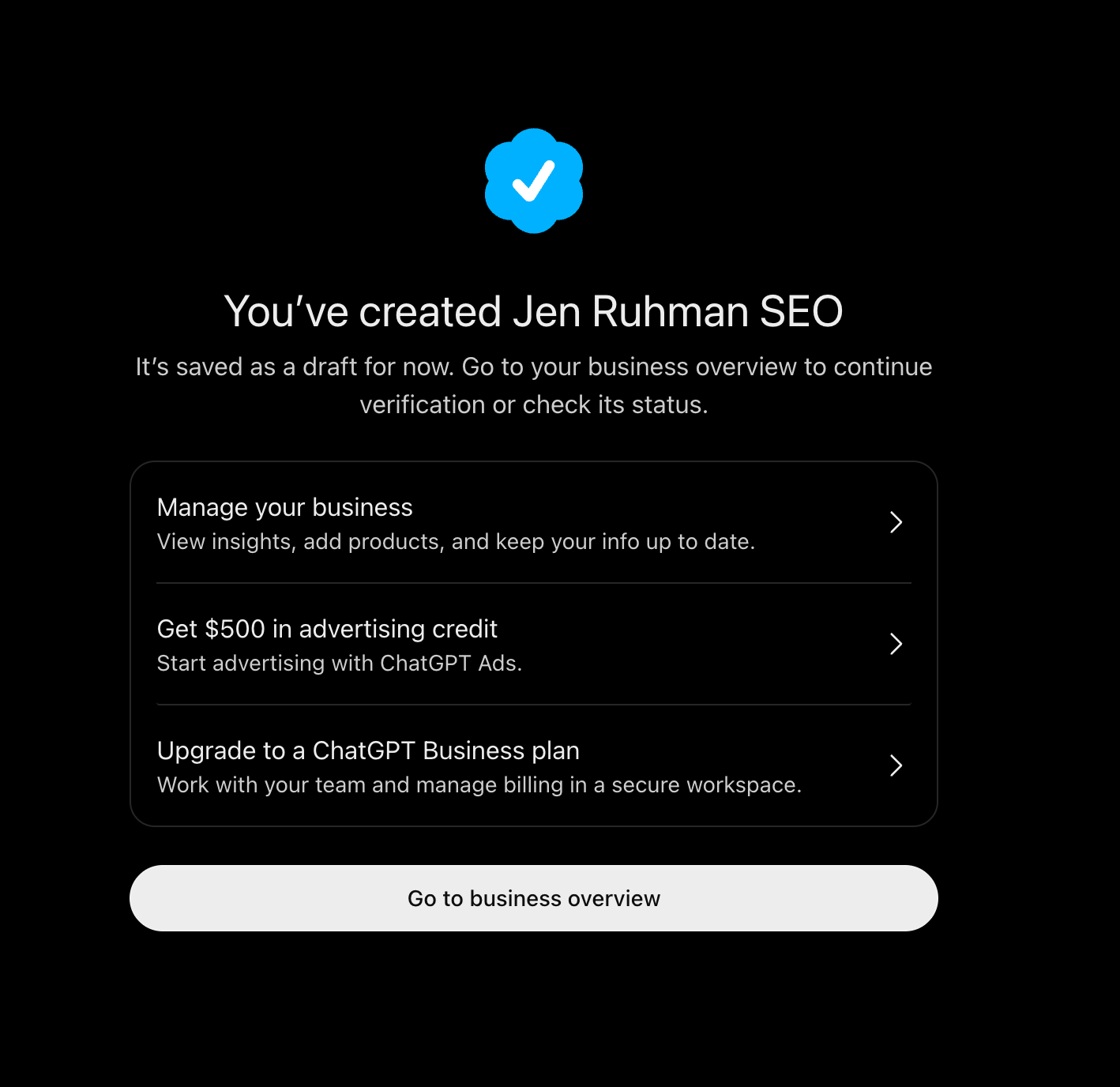
ChatGPT now allows eligible businesses to claim and verify their business profiles. On November 10, 2026, OpenAI announced Businesses in ChatGPT, a new feature that lets business owners manage their business information and access insights into how people discover them through ChatGPT.
As an SEO consultant in San Diego, I wanted to explore this feature immediately.
On November 11, 2026, I went through the process of creating and claiming the ChatGPT Business Profile for my agency, Jen Ruhman SEO.
The process involved verifying my website domain through a DNS TXT record, entering my business information, and completing a separate business identity verification process.
My verification is currently pending approval, but I wanted to document the experience so other business owners can understand how it works.
If you’re wondering how to claim your business on ChatGPT, here’s my firsthand walkthrough.
What Is a ChatGPT Business Profile?
A ChatGPT Business Profile allows eligible businesses to claim their business information through OpenAI’s Business Hub.
Think of it as a way to manage information about your company within the ChatGPT ecosystem, although it’s not identical to a Google Business Profile.
Once a business completes the required verification and receives approval, it can access supported features such as:
- Managing its business name, website, category, and description.
- Updating business information to help customers find accurate details.
- Adding its logo and other supported profile information.
- Viewing available insights about business mentions and website clicks.
- Exploring topics associated with how people discover the business.
- Potentially creating a Business Agent, if the business meets the eligibility requirements.
Not every feature is available to every business.
OpenAI has also made an important distinction: claiming a business does not guarantee higher rankings, more recommendations, additional website traffic, or sales.
However, providing accurate information about your business is a sensible step for companies developing their AI search visibility strategies.
Why Should Businesses Claim Their ChatGPT Profile?
More consumers are using AI tools to research businesses, compare services, and evaluate their options.
Instead of searching only through traditional search engines, a prospective customer might ask ChatGPT:
- Who provides SEO services in San Diego?
- What are some reputable med spas near me?
- How do I find a local mortgage broker?
- What should I look for when hiring a commercial cleaning company?
- Which businesses offer a particular service in my area?
ChatGPT can provide information about businesses using different sources, including information available online.
Claiming your business gives you an opportunity to contribute accurate, current details about your company.
This matters because businesses change. Services evolve, locations change, and outdated descriptions can misrepresent what a company actually offers.
A claimed profile offers another way to manage that information.
For business owners already investing in search engine optimization, it’s worth understanding how this new platform works.
How to Claim Your Business on ChatGPT
Here are the steps I followed when creating my business profile.
Step 1: Visit the ChatGPT Business Hub
Start by visiting:
https://chatgpt.com/business-hub
Sign in to your ChatGPT account and open Business Hub.
Search for your business by name to see whether an existing listing is available.
If your company already appears, select the appropriate listing and follow the instructions to claim it.
Some eligible businesses may have the option to add a new profile when one doesn’t already exist.
OpenAI determines eligibility based on factors including business type, location, and available verification methods.
Step 2: Verify Your Website Domain
For my business, I selected website domain verification.
Since my website, jenruhman.com, is managed through GoDaddy’s DNS settings, I needed to add a TXT record to establish ownership of my domain.
ChatGPT provided three pieces of information:
- DNS record type
- Host or name
- TXT record verification value
Here’s how I completed the process in GoDaddy.
How to add the ChatGPT verification TXT record in GoDaddy
- Sign in to your GoDaddy account.
- Navigate to your Domain Portfolio.
- Select the domain associated with your business.
- Open the DNS management section.
- Select Add New Record.
- Choose TXT as the record type.
- Enter the host name supplied by ChatGPT.
- Paste the complete verification value provided by ChatGPT.
- Leave the TTL at its default setting or select an available standard option.
- Save the record.
For my verification, the host name was:
openai-business-profile
The full verification value was unique to my request, so other business owners should use the value generated specifically for their domains.
Important: Don’t copy another company’s verification token. Also, don’t delete or modify existing DNS records just to add this TXT record.
If your domain uses another DNS provider, such as Cloudflare, Namecheap, or another hosting service, the steps will look slightly different.
Step 3: Return to ChatGPT and Verify Your Domain
After saving the TXT record in GoDaddy, I returned to ChatGPT and clicked Verify Domain.
My domain verification worked successfully.
One thing to know is that DNS records don’t always update immediately.
Depending on your domain provider and DNS configuration, propagation can take time.
Also, the verification value may have an expiration deadline. If it expires before verification succeeds, you may need to restart the process using a newly generated token.
For me, this step was straightforward because I already have experience managing DNS records for SEO and website configurations.
However, business owners who aren’t comfortable editing DNS settings may want assistance from their website administrator.
Step 4: Enter Your Business Information
After verifying my domain, ChatGPT prompted me to create my business profile.
I entered the information for Jen Ruhman SEO.
This included my business name, website, category, and a description of the services I provide.
For the business category, I selected a marketing agency category.
My business description explained that I provide services such as:
- Local and national SEO
- Google Business Profile optimization
- Technical website optimization
- Keyword research and competitor analysis
- On-page SEO and content strategy
- Google Search Console and Google Analytics reporting
- SEO consulting for businesses in San Diego and nationwide
My SEO recommendation: Write your business description for real prospective customers, not just search algorithms.
Clearly explain what your company does, whom it serves, where it operates, and what makes it different.
Avoid stuffing the description with repetitive keywords or making unsupported claims about your business.
Accuracy and clarity should come first.
Step 5: Complete Business Identity Verification
This part of the process was more involved than adding a DNS record.
OpenAI uses Persona for additional identity verification.
For my business, the process included providing information about my company’s legal structure and verifying my identity.
The requested steps included:
1. Business entity information
I had to identify the legal structure of my company.
Since my business operates as an S-Corporation, I selected the entity option rather than sole proprietor.
Business owners should select the option that matches their actual legal structure and ensure their information matches official registration documents.
2. Government-issued photo identification
Identity verification required submitting identification through the verification process.
This is intended to help establish that the person requesting access is authorized to represent the business.
3. Facial verification
The process also included a live face scan to verify my identity.
This is an additional identity confirmation step, separate from proving ownership of the website domain.
4. Submission for review
After completing the requested verification steps, I submitted my information.
As of November 11, 2026, my identity verification is pending approval.
I’ll update this article once I receive the final decision.
Privacy reminder: Complete identity checks only through the official verification workflow. Never publish your identification documents, face scan, private registration details, or domain verification token in a public blog post.
How Long Does ChatGPT Business Verification Take?
There isn’t a single guaranteed approval time for every business. (my SEO company took about 5 minutes) This was after I filled out all the info and did the steps such as facial recognition!
Domain verification may happen quickly once the correct DNS record becomes available.
Business identity verification is a separate process that may require additional review.
OpenAI may email you when the verification is approved or when additional information is needed.
If your verification is pending, follow the instructions provided in Business Hub rather than repeatedly resubmitting your information.
At the time of writing, my verification is still pending.
Does Claiming Your Business Improve ChatGPT Rankings?
This is probably the most important question for business owners.
No. Claiming or verifying your business does not automatically improve its placement in ChatGPT recommendations.
OpenAI states that ChatGPT continues to make independent business recommendations and comparisons.
This means a verified profile isn’t a shortcut to becoming the top recommendation for searches related to your industry.
There is also no guarantee that verification will increase website traffic, leads, or revenue.
However, claiming your profile may help ensure that the business information you directly provide through the supported system is accurate and up to date.
I view this as one component of a broader AI search visibility strategy, not a replacement for traditional SEO.
What Actually Matters for AI Search Visibility?
Beyond claiming a profile, I recommend that businesses continue building a strong online presence through:
A technically sound website
Make sure your site can be crawled, important pages are accessible, and your content is organized clearly.
Helpful, original content
Publish pages that genuinely explain your services, answer customer questions, and demonstrate firsthand industry knowledge.
Consistent business information
Keep your business name, website, contact information, and service details accurate across relevant platforms.
Demonstrated expertise and credibility
Use clear author information, accurate credentials, genuine testimonials where appropriate, and verifiable examples of your work.
Relevant structured data
Implement appropriate schema markup to help search engines understand your business, services, and website content. Structured data alone does not guarantee AI visibility.
Search performance analysis
Use tools like Google Search Console and Google Analytics to understand how people discover and interact with your website.
It’s also worth examining referral traffic from AI platforms when that information is available.
None of these individual tactics guarantees a ChatGPT recommendation, but they support a stronger and more useful online presence.
What Are ChatGPT Business Insights?
One of the features I’m most interested in as an SEO consultant is the new business insights functionality.
OpenAI has announced that eligible, verified businesses can access aggregated information such as:
- How often a business is mentioned in ChatGPT.
- Website clicks originating from ChatGPT experiences.
- Discovery topics associated with conversations mentioning or citing the business.
These insights may help business owners better understand how their brands appear in AI-assisted discovery.
However, access depends on verification and data availability, and OpenAI applies privacy thresholds. Businesses do not receive access to individual users’ private ChatGPT conversations.
For SEO professionals, this introduces another potential source of information to evaluate alongside existing website analytics.
I’ll be interested in comparing the available ChatGPT insights with data from Google Search Console and Google Analytics once my own profile is approved.
Is a ChatGPT Business Profile the Same as a Google Business Profile?
Not exactly.
Google Business Profile and ChatGPT Business Hub both provide ways to manage business information, but they serve different ecosystems.
Google Business Profile is closely associated with a company’s presence in Google Search and Google Maps.
ChatGPT Business Hub is designed to help businesses manage information that may appear within ChatGPT experiences and, where eligible, support additional features such as Business Agents.
Businesses should not assume that optimizing one profile automatically optimizes the other.
For local businesses, maintaining a complete and accurate Google Business Profile remains important.
I recommend viewing ChatGPT business verification as an additional opportunity rather than abandoning established local SEO practices.
Frequently Asked Questions About ChatGPT Business Verification
Can I list my business on ChatGPT?
Eligible businesses can claim existing listings, and some businesses can create new profiles through ChatGPT Business Hub. Availability depends on business type, location, and verification requirements.
Is claiming a ChatGPT Business Profile free?
OpenAI states that eligible businesses do not need an advertising account or ChatGPT Enterprise agreement to claim a profile. Advertising and Business Agents are separate features.
Do I need to verify my website with a TXT record?
Not necessarily. ChatGPT may offer verification methods such as business phone, business email, website domain, or Shopify, depending on the business. I used a DNS TXT record to verify jenruhman.com.
Why does ChatGPT ask for my ID and a face scan?
OpenAI uses Persona identity verification to help confirm that an individual is authorized to represent a business. The exact information requested may vary, but it can include government-issued identification, business documents, and identity confirmation.
Can I claim a ChatGPT Business Profile without a website?
Eligibility varies. Some existing businesses may be claimable through supported verification methods, while creating a new profile can have additional restrictions. Check Business Hub for the options available to your company.
Will my business receive a verified badge?
OpenAI says a blue verification check appears after the required Persona verification is approved. Claiming a profile alone does not automatically grant the badge.
Does my business need a ChatGPT Business subscription?
No. OpenAI states that a ChatGPT Enterprise agreement or advertising account isn’t necessary to claim an eligible business. Additional products and features may have their own requirements.
Can an SEO agency help clients claim their ChatGPT businesses?
Yes, provided the agency is authorized to represent the business and complies with OpenAI’s verification and profile-management policies. Business owners should maintain appropriate control of their accounts and grant access through supported methods rather than sharing private credentials.
Final Thoughts: Should You Claim Your Business on ChatGPT?
If your business is eligible, I recommend exploring the new ChatGPT Business Hub.
I completed the initial domain verification and submitted the identity verification for Jen Ruhman SEO on November 11, 2026, one day after OpenAI announced Businesses in ChatGPT.
While the platform is still evolving, I believe business owners should understand the tools available for managing their information across both traditional search engines and AI platforms.
Just remember that verification is not a guarantee of improved rankings.
It is an opportunity to provide accurate business information, potentially access useful insights, and participate in a developing business discovery ecosystem.
As an SEO consultant, I’ll continue testing these features and sharing what I learn.
Want to Improve Your Business’s Visibility in Google and AI Search?
I’m Jen Ruhman, a San Diego SEO consultant helping businesses improve their online presence through strategic SEO, technical optimization, content development, and data-driven analysis.
I work directly with business owners and marketing teams to develop search strategies tailored to their goals, competition, and industry.
Whether you’re looking to improve your Google rankings, strengthen your local search presence, or prepare your website for the changing landscape of AI search, I’d love to learn more about your business.
Visit Jen Ruhman SEO to learn more about my SEO consulting services.
Official references: